Authentication Overview
Credentials
Business Slug: customer_business_slug
Facility Slug: customer_facility_slug
API Client ID: Kargo will create and provide to customer
API Client Secret: Kargo will create and provide to customer
API URL: https://api.kargo.zone/public_graphql
Request a Bearer Token
All requests to the Kargo API require a Bearer Token. Make the following call to request a bearer token:
curl --request POST \
--url https://mykargo.us.auth0.com/oauth/token \
--header 'content-type: application/json' \
--data '{
    "client_id": "<client_id>",
    "client_secret": "<client_secret>",
    "audience": "https://api.kargo.zone/public_graphql",
    "grant_type": "client_credentials"
}'
The response will look like this:
{
    "access_token": "<bearer_token>",
    "token_type": "Bearer",
    "expires_in": 99999
}
Pass the Bearer Token as a request header to all Kargo API requests:
Authorization: Bearer <bearer_token>
Note: You should always cache this token. You can use the expires_in response field to understand how long the token will be valid for before expiring.
API Sandbox
Kargo's public GraphQL API is available in a helpful GUI here:
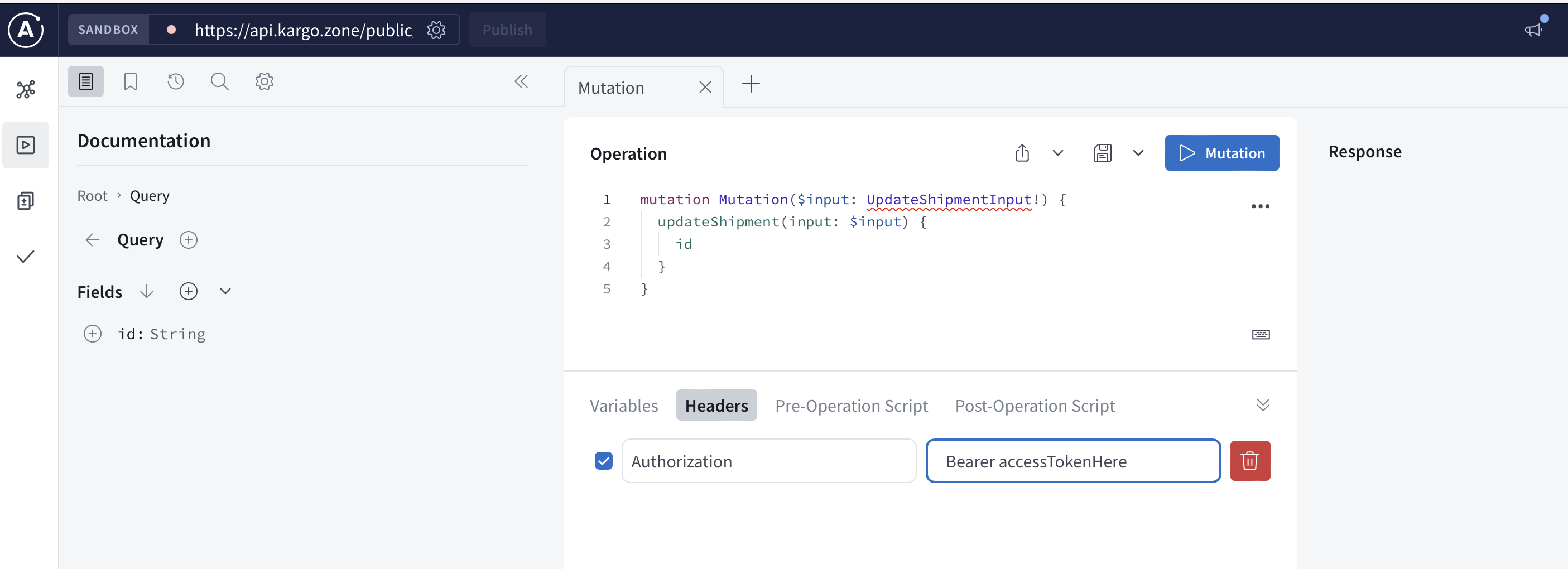
You can authenticate into the Kargo API Sandbox by adding the header like this:
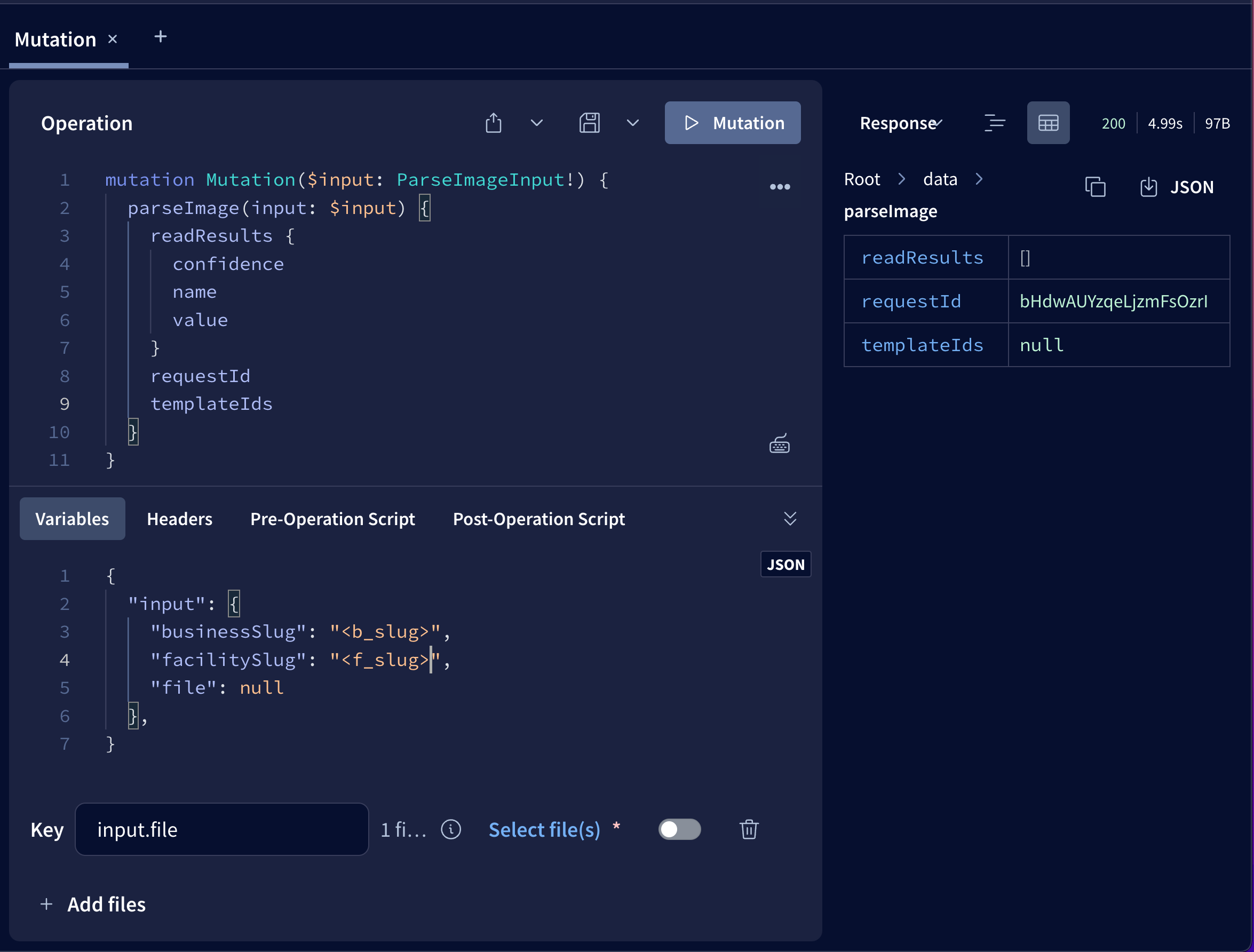
Uploading files in the API Sandbox
The Kargo Sandbox also allows you you to upload files. You use the "+Add Files" button and set your desired variable to null. Then input the same variable path in this case "input.file" as they key and use the pop-up screen to select your file.